English and Japanese are two drastically different writing systems. English uses the Latin alphabet, composed of letters like A, B, C, and so on, and follows a left-to-right, top-to-bottom writing direction. English words are typically separated by spaces and also incorporate capitalization rules. In contrast, Japanese uses a combination of scripts: Kanji, Hiragana, and Katakana, each with their own set of characteristics and functional uses. Japanese writing can also flow in multiple directions: horizontally from left-to-right or vertically from top-to-bottom. Spaces are not used to separate words, and the concept of capitalization doesn’t apply. With all of these contrasting features, translation projects between English and Japanese can be challenging. That is where Regex comes in.
Regex is shorthand for regular expressions and are sequences of characters that define a search pattern. In simpler terms, regex is like a special text search tool that allows you to describe a certain pattern of characters you’re looking for within a larger piece of text. It provides a flexible and powerful way to find, match, or manipulate strings of text based on specific criteria. If you’re using Trados Studio as a CAT Tool, you can use any regex code to refine your review process. I will show you some examples of regex code that you can use for an English to Japanese translation project.
1. Using Regex Code to Find and Replace Date Formats
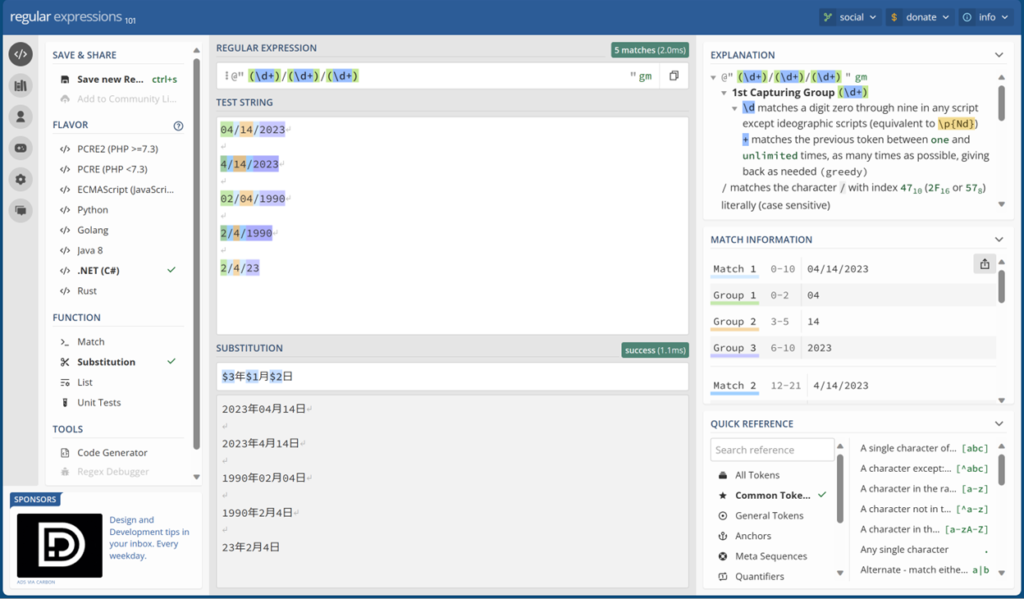
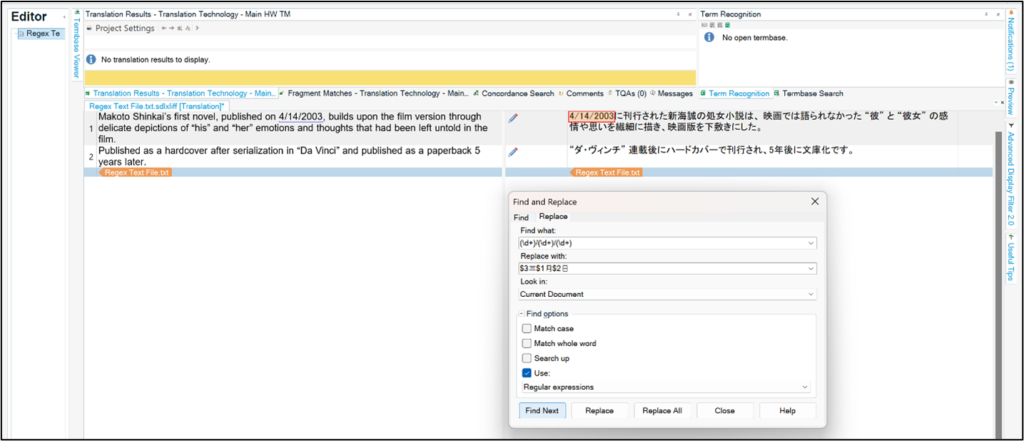
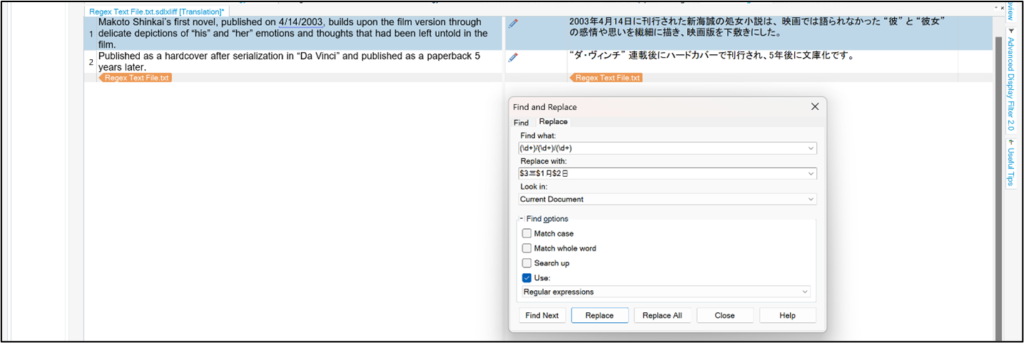
This regex code will find dates expressed in any variation of the Month/Day/Year Format and then substitute those dates to match the Year/Month/Day format in Japanese.
Find: (\d+)/(\d+)/(\d+)
Replace: $3年$1月$2日
Find & Replace Dates shown in Trados Studios
2. Using Regex Codes to Find and Replace Opening Quotation Marks
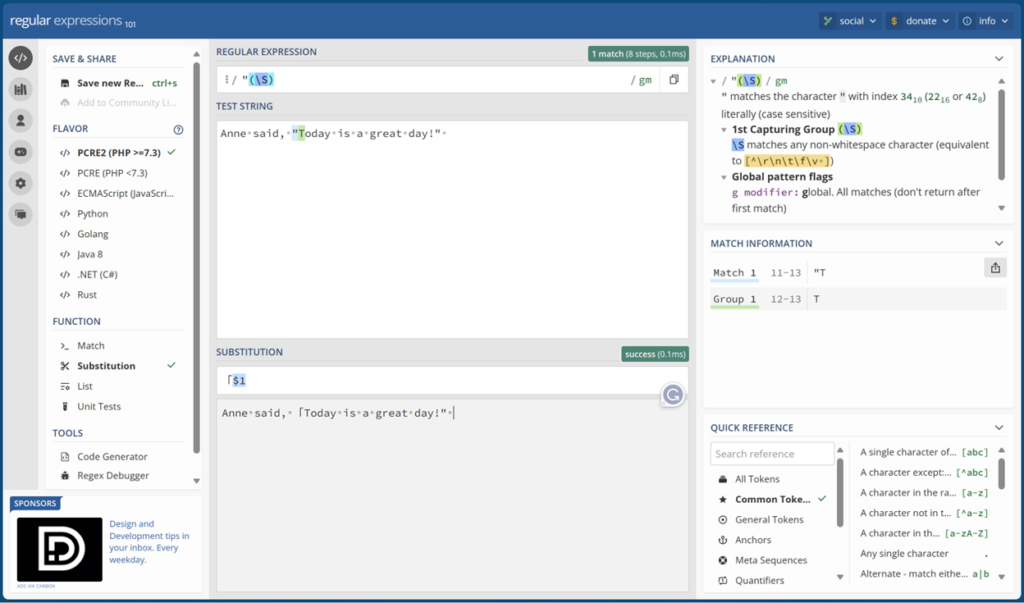
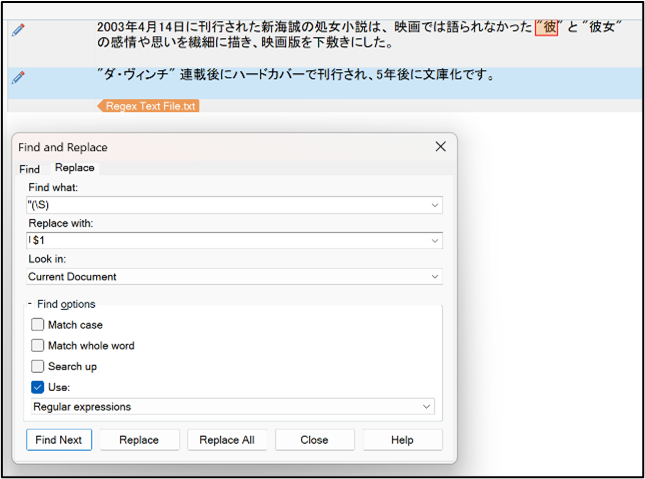
This regex code will find any opening quotation mark ” that is found before a character letter.
Find: “(\S)
Replace: 「$1
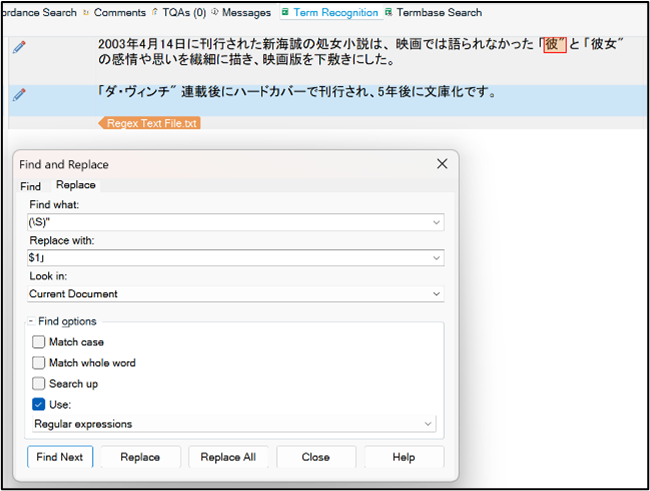
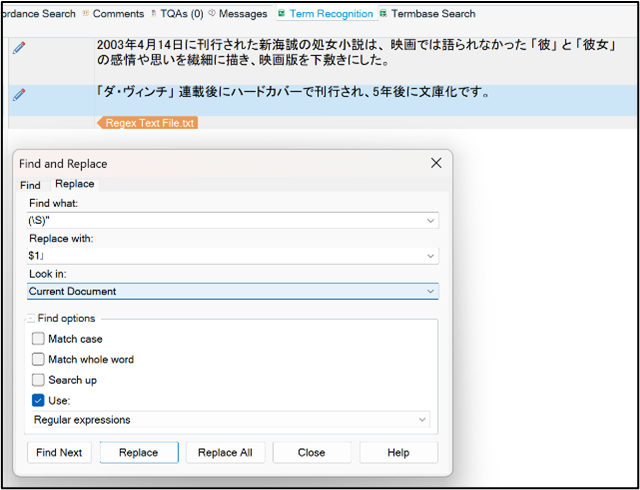
3. Using Regex Codes to Find and Replace Closing Quotation Marks
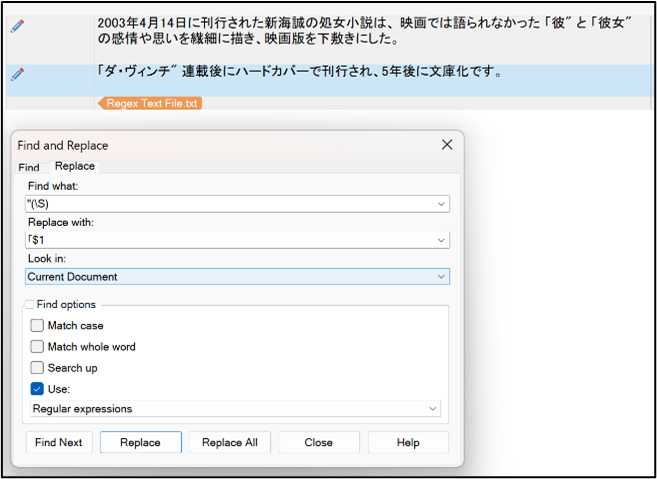
This regex code will find any closing quotation mark ” that is found after a character letter.
Find: (\S)”
Replace: $1」
Find & Replace Opening and Closing Quotations shown in Trados Studios
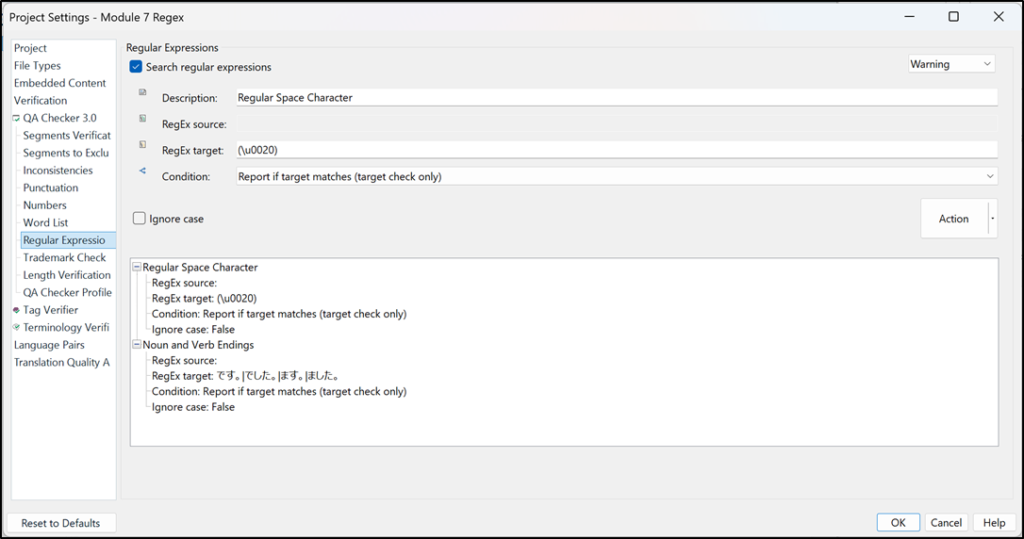
4. QA Checker for Regular Space Characters
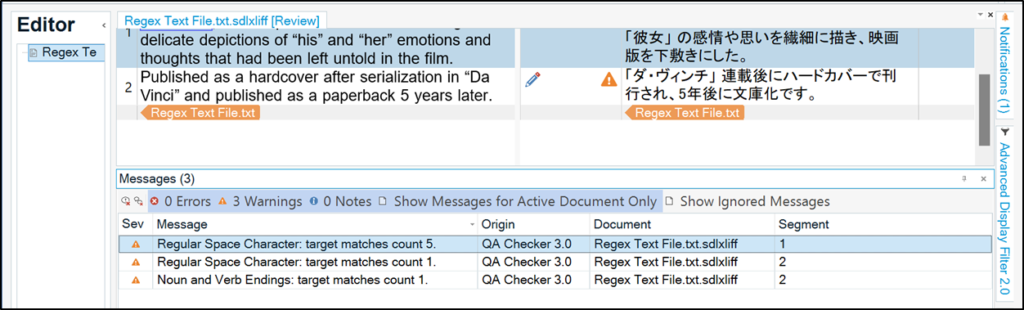
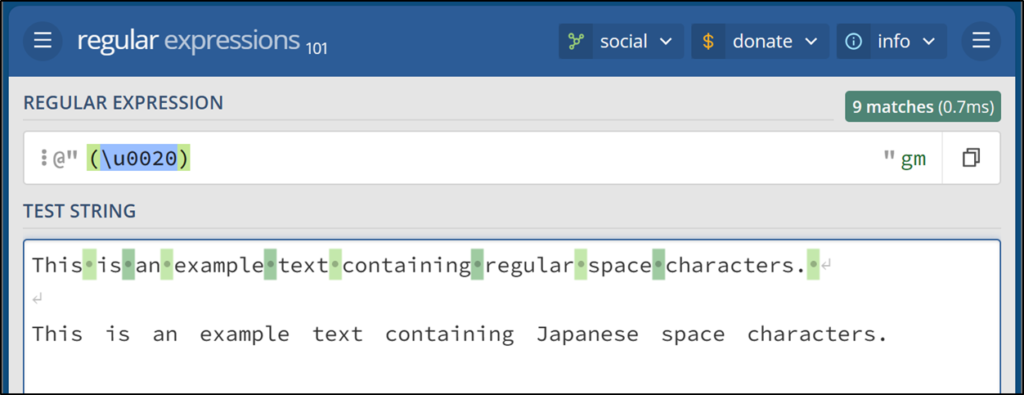
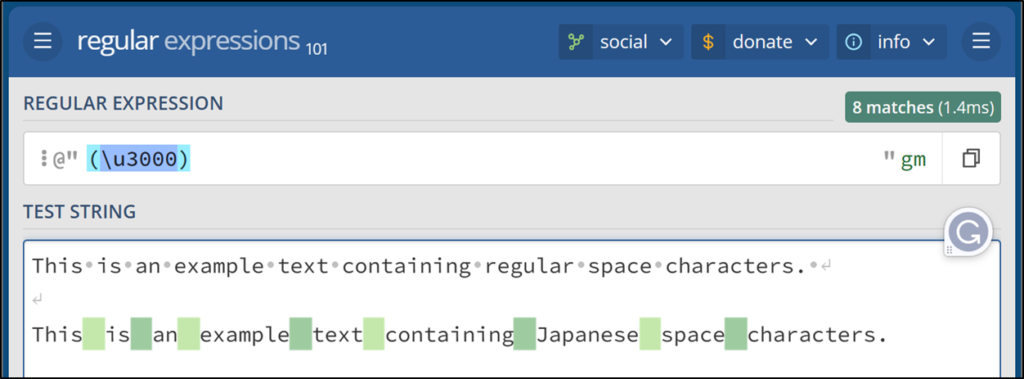
In general, Japanese-translated text should not contain spaces between words. You can use the regex code for language-specific space characters to perform a verification check to see if the translation has misadded spaces from the source segment. If Japanese spaces are contained in text, note that the space size is different than the English space size and also indicated by a different Unicode.
Regex Code for English Spaces: (\u0020)
Regex Code for Japanese Spaces: (\u3000)
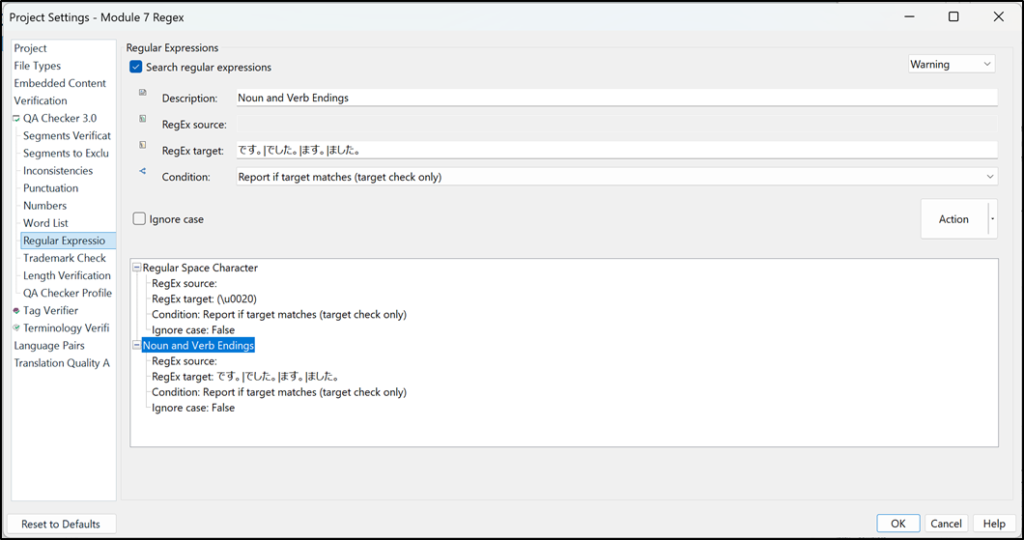
Setting up QA Checker for noun and verb endings in Trados Studios
To use this regex in Trados, create a regular expression verification check in the project settings. Then open the file for review and run the verification check.
5. QA Checker for Noun and Verb Endings
Japanese formality is depicted by the conjugation form of verbs. Consider the tone of the message and context clues to decide when to raise or lower the formality of speech. You can use a regex code to identify the verb endings to ensure the overall consistency of the text or to make line-by-line determinations to ensure the intended form of the translated segment is reviewed within Trados.
Regex Code: です。|でした。|ます。|ました。
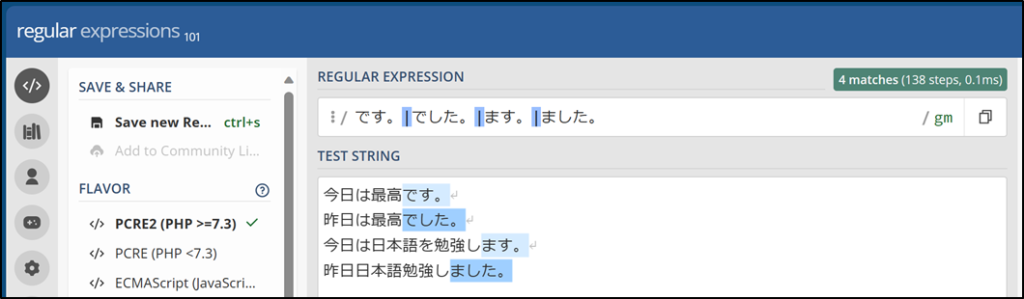
Setting up QA Checker for noun and verb endings in Trados Studios