Game Introduction
The Adventures of the Heroic Fox is a simple 2D-turn-based strategy game with an amazing art style and interesting line-up of characters. You begin the adventure alongside the Hero and the Squire and have to complete a series of battles against villain characters to rescue the Princess. The game was originally developed in English for the Game Jam 2022 event. For more details and access to the source files, you can visit the creator’s website located here. You can also install the game on Godot version 3.6 with several PC platform options available. Check out the demo below to watch the first battle sequence against our first villain encounter with a rock named Golem.
Undertaking a Localization Project
Now that you’ve seen how the game works, I’d like to introduce the team that localized the game into Japanese and Portuguese (Brazilian). With my fellow localization partners, Camila de Castro and Kayla Gade, our team of 3 worked together to internationalize, translate, and recreate image assets and fonts for the localized versions. This was our first time navigating the Godot game engine in general, and this game could not have been a more perfect blend of content for us to challenge ourselves with.
We relied on a combination of tools to tackle different aspects of localization. Godot 3.6 was the core of the entire project, where the magical game internationalization and string externalization process took place. For translations, we used Phrase TMS to manage and streamline the process. Font Forge and Adobe Photoshop were essential for adapting fonts and localizing visual assets. We also utilized tools like Google Drive and Teams for general collaboration and sharing of files.
Team
- Anne Tran (Japanese localization)
- Camila de Castro (Portuguese localization)
- Kayla Gade (Japanese localization)
Tools
| Task | Tools |
| Game internationalization and string externalization | Godot 3.6 |
| Translation | Phrase TMS |
| Font localization | Font Forge |
| Image localization | Adobe Photoshop |
| Project Collaboration/Management | Google Drive and Teams |
Workflow (Click button to jump to section)
Workflow With Extra Details
Part 1: File Prep
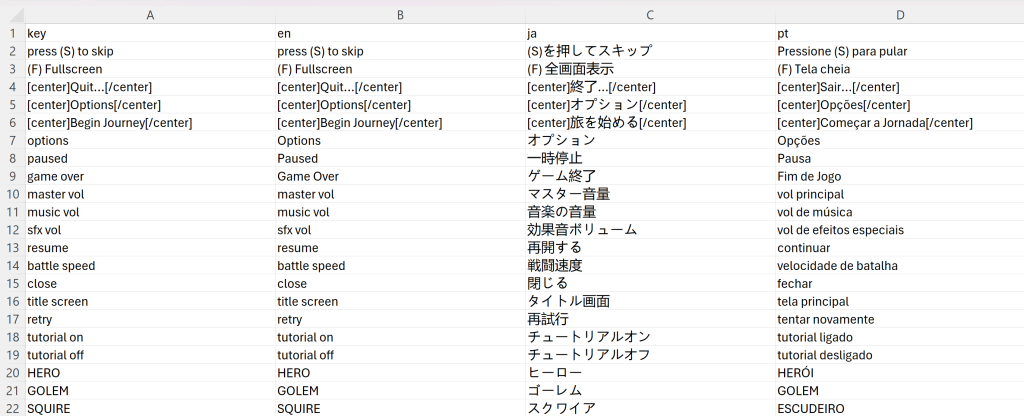
To kick off the project, the first step was to create a multilingual CSV file that would allow us to organize and add all the strings for translation into Japanese and Portuguese. We started by opening a blank Excel file and setting it up with four columns containing the following details:
- Key strings
- English translations (en)
- Japanese translations (ja)
- Portuguese translations (pt)
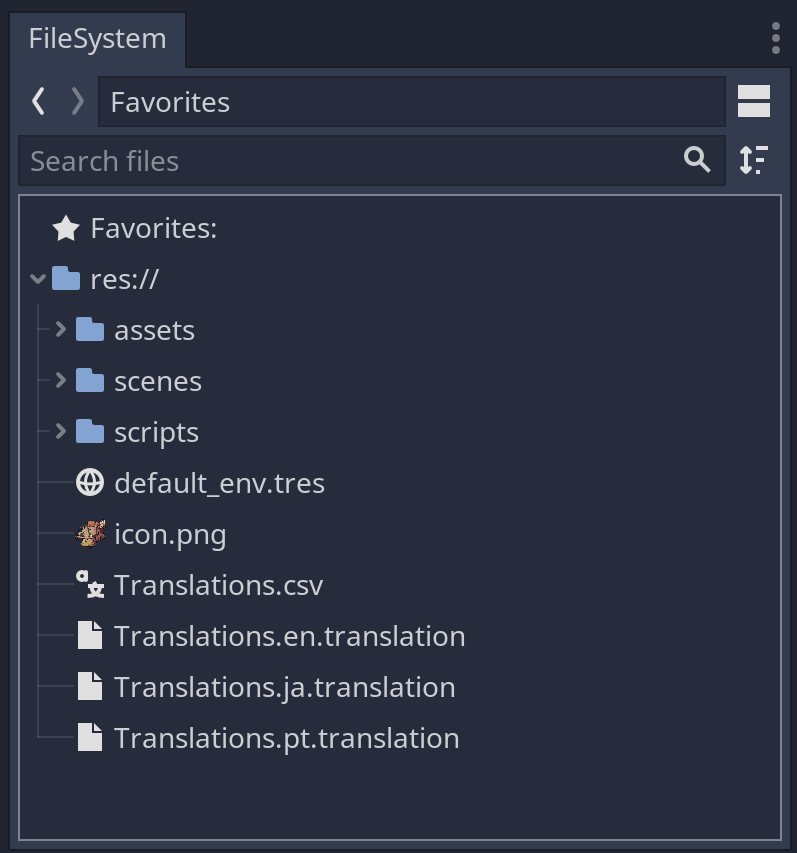
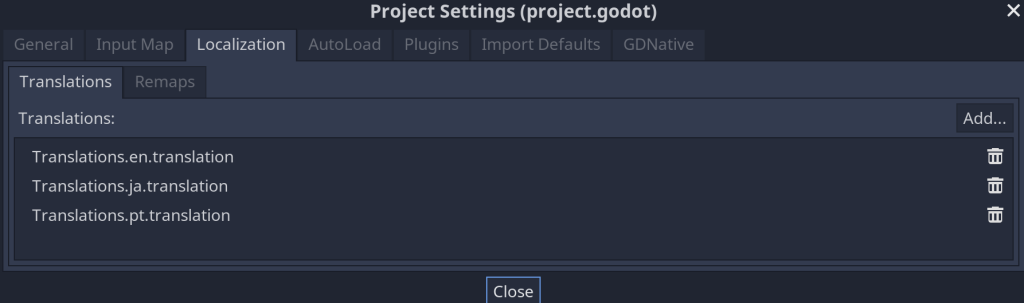
After saving the file as “Translations.csv,” we imported it into the Godot FileSystem area. This action automatically generated the corresponding translation target files: translations.en.translation, translations.ja.translation, and translations.pt.translation. Throughout the project, we kept the CSV file open, updating it as we identified new strings that needed translation.
Part 2: String Externalization
1. Labels
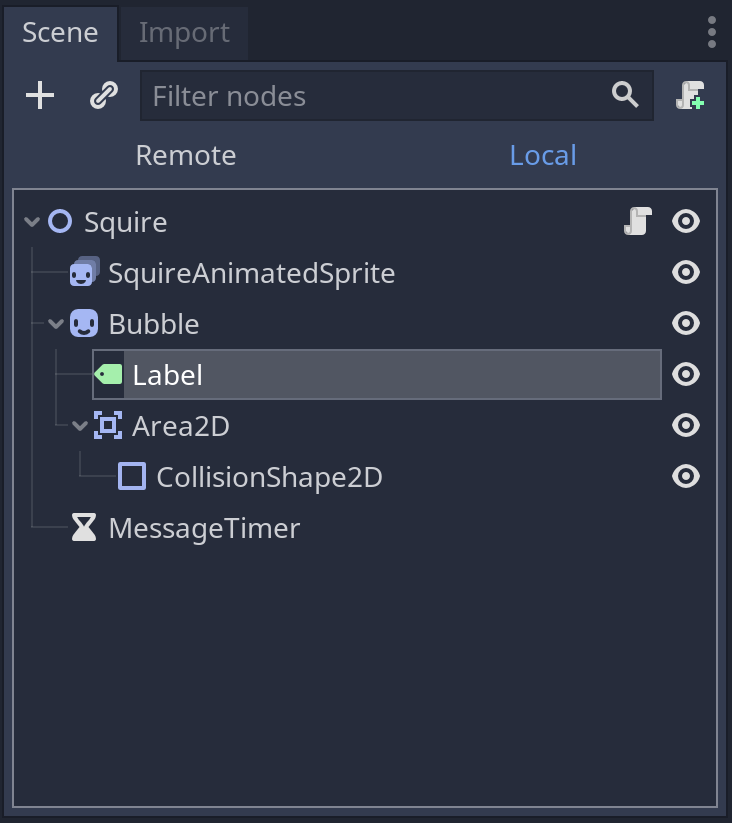
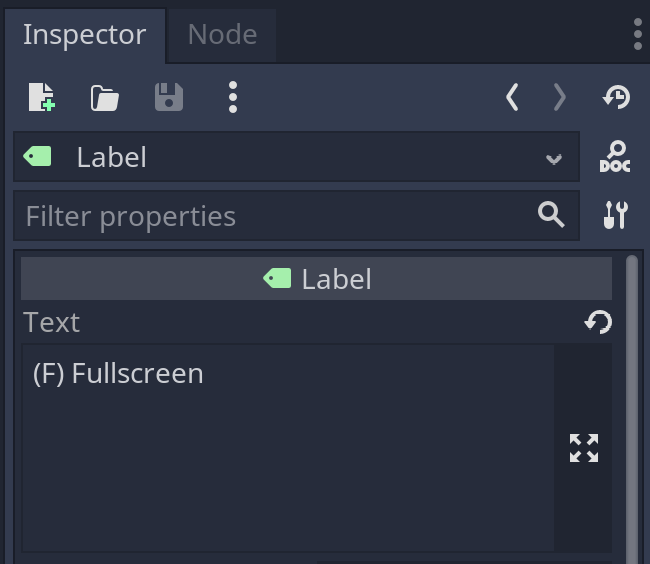
Basic text elements in the game are set up as a label and the process of externalizing them for translation is very simple. Labels are automatically recognized as translatable strings and do not need the tr() function. The translation key itself will just be the text. Labels can be identified by going through the .tscn files and examining them in the scenes panel.
2. Rich Text Labels
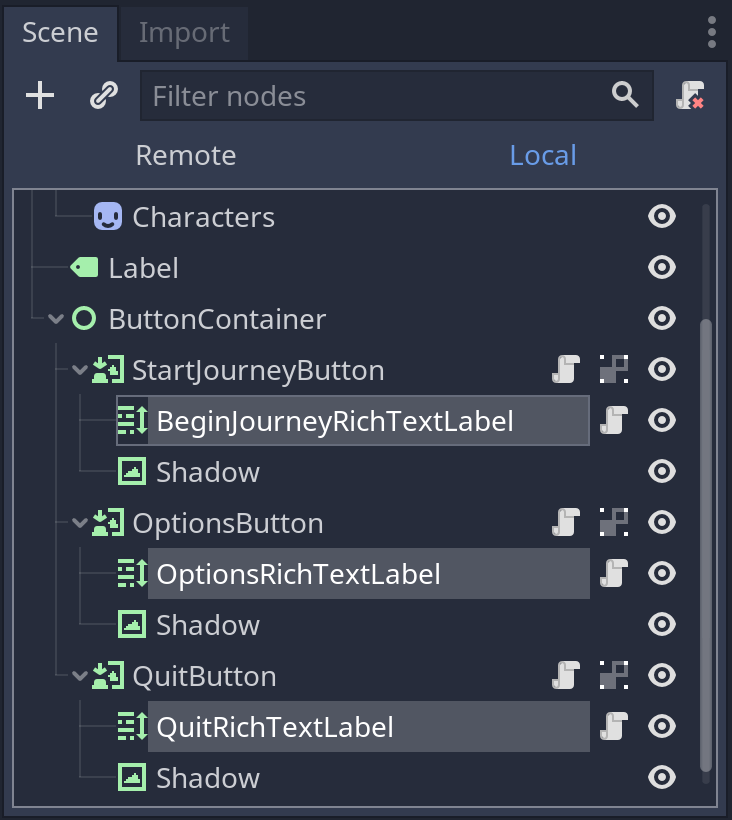
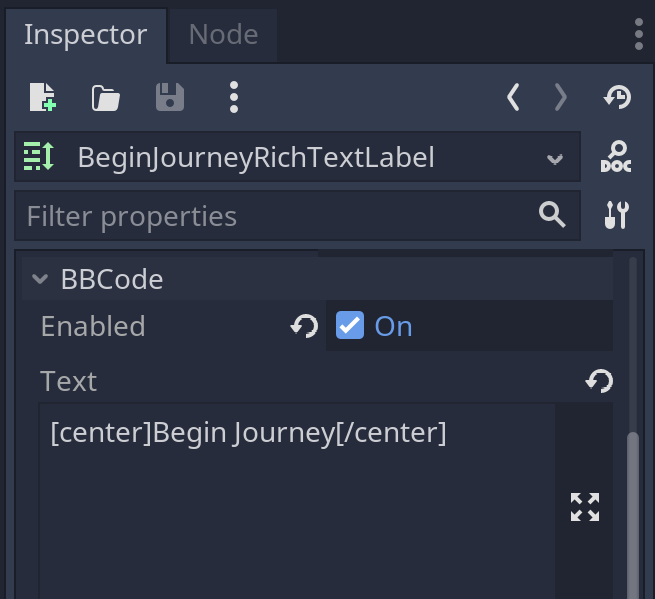
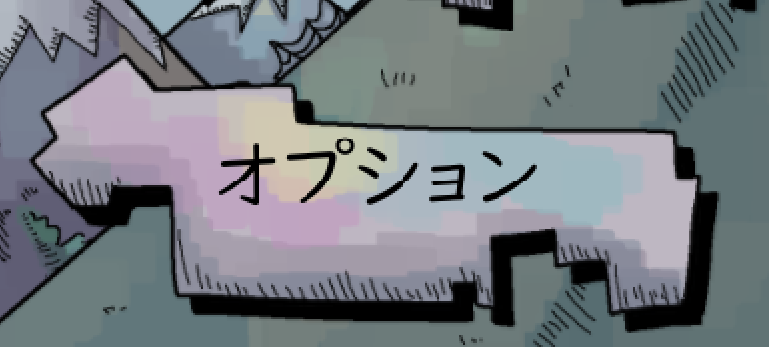
Godot has a markup concept called BBCode which can be applied to any rich text label for formatting plain text. BBCode tags are essentially applied around the text string itself. These tags need to be retained in the translation keys for proper localization. To show you some examples, the opening main menu screen has 3 rich text labels all with center tags. Specifically for these 3 strings, a new .gd script was added in order to wrap the strings with the tr() function.
[center]Quit…[/center]
[center]Options[/center]
[center]Begin Journey[/center]
3. Scripts
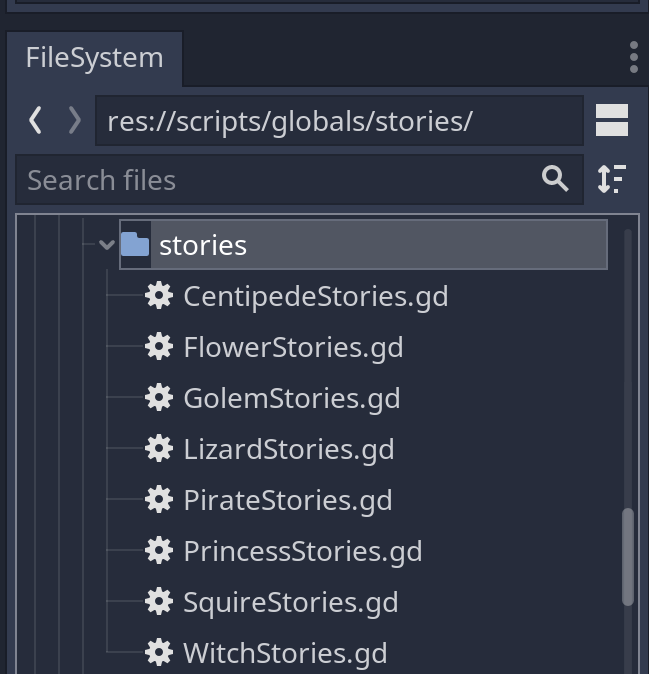
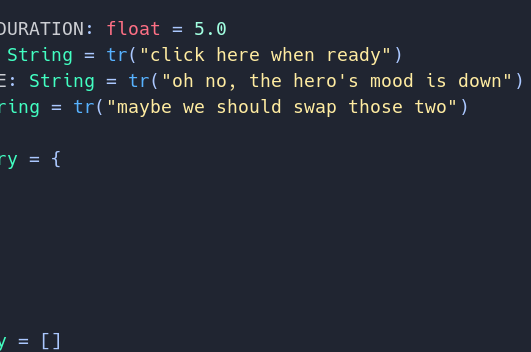
All the character names and dialogues were found in existing .gd files as shown in the FileSystem image below. These strings made up the bulk of the game text and needed to be wrapped with the tr() function within each script file.
Part 3: Translation Process
- Find strings (Labels, Rich Text Labels, and Scripts)
- Add keys to Translations.csv file
- Translate in Phrase TMS
- Reimport
Part 4: DTP Assets
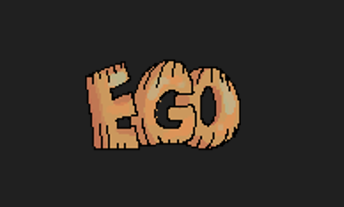
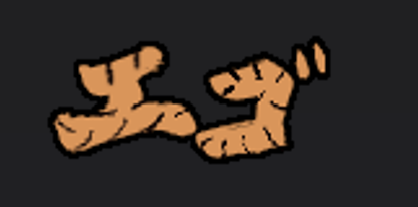
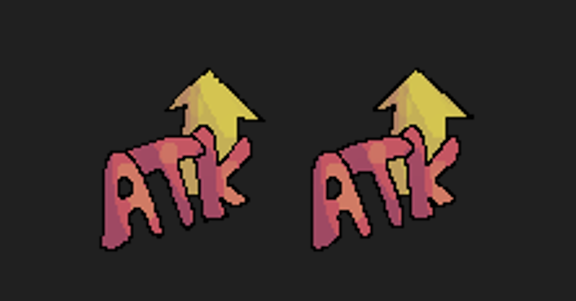
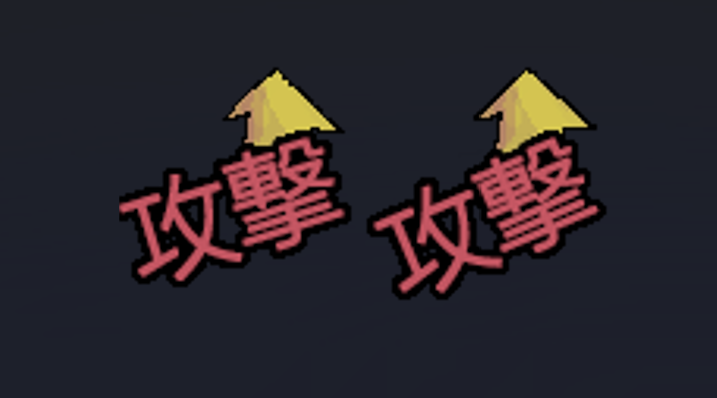
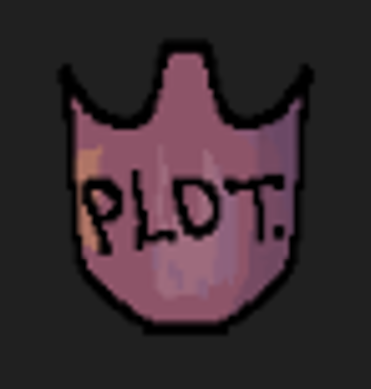
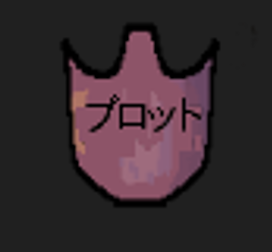
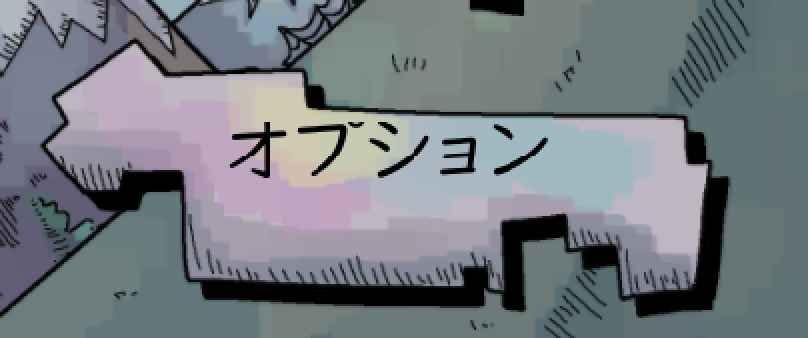
The game didn’t have many image assets to localize, but our team did come across a few that contained text. For Portuguese, the translations were identical to the English source (a happy coincidence), which made the localization process quite easy on our part. However, with Japanese, we had to make more noticeable adjustments to fit the translated text, as the characters and formatting required significant changes. What’s interesting to note is the use of abbreviated words like “ATK” for attack, which is commonly used as game effects. In Japanese, abbreviating words like this is difficult, so we ended up using the full word for attack (攻撃) instead.
Part 5: Fonts
Probably the most unique challenge with this game was the font adaptation because the game creators used a custom-made font with a basic set of English characters only. In addition to that, the creative playful nature of making some characters appear as upper and lower case was another challenge.

For Portuguese, our team handled this by editing the original game font using font forge and adding the necessary characters with the accent marks. With this method, we could retain the complete visual aspects of the font without sacrificing the custom-made look for the game.

For Japanese, capitalization rules don’t apply at all and altering the character casing is simply not executable without butchering the normal written language. Anybody familiar with the Japanese written language knows that little characters affect the wording and pronunciation. The best solution was choosing a font with a similar enough style and that’s how we landed on the UD Digi Kyokasho font for Japanese.

Part 6: Integration
1. Translation File Reimport
After completing the translation in Phrase TMS, the translated strings are saved and reimported into the game engine. Once reimported, the game engine automatically applies the translations to the relevant text fields (labels, scripts, etc.), replacing the original English strings with the new localized content. This step ensures that all the translated text appears correctly in the game.
2. Localization Remaps
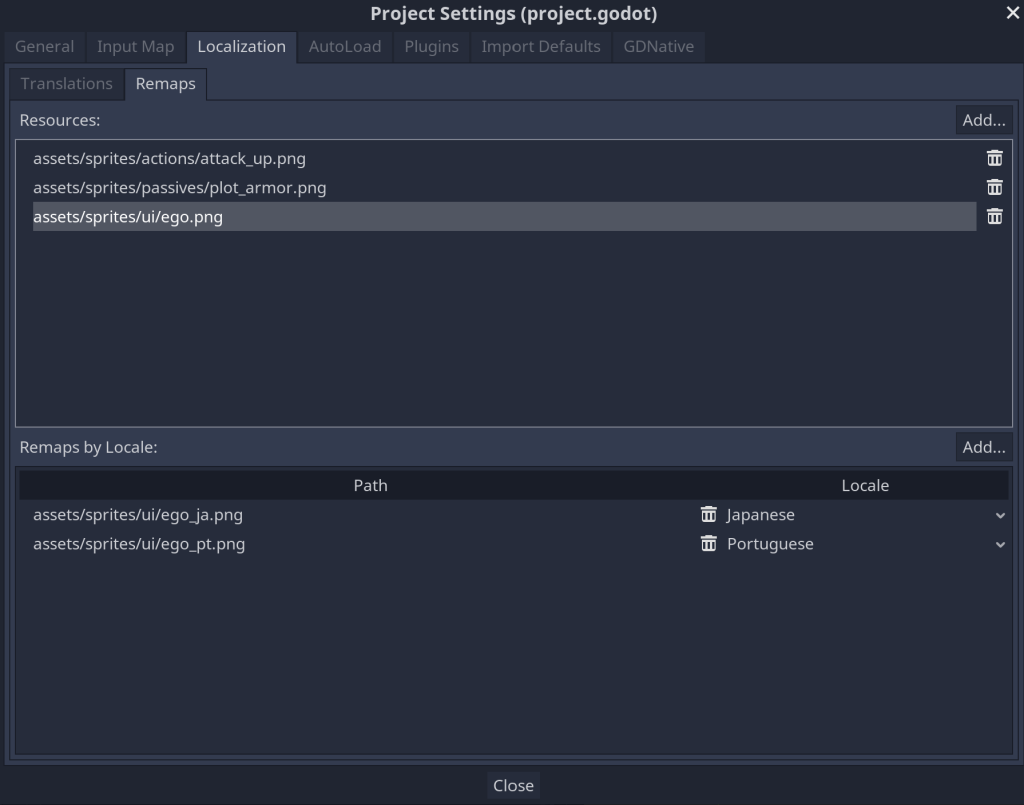
For assets like images or icons, we need to make sure the localized versions are used. In Godot, we use Localization Remaps to link the right assets to the right language. This way, when the game is played in a specific language, it automatically uses the localized assets.
3. Fallback Fonts
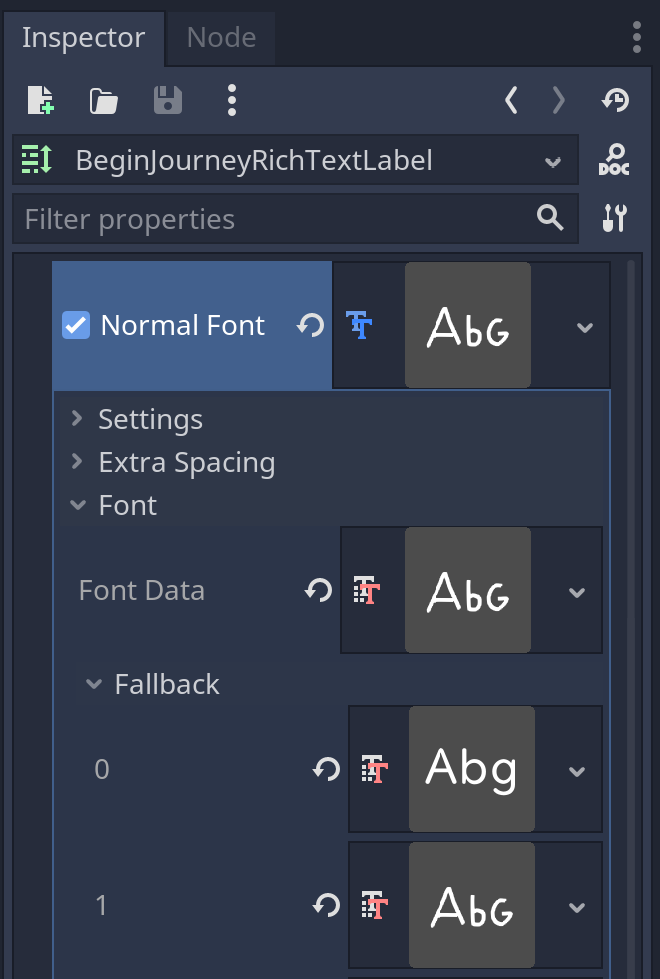
In Godot, you can apply a fallback font if the primary font doesn’t support certain characters in the target language. In our process, we kept the original font as the primary and added two fallback fonts; one for Japanese and one for Portuguese. However, there were times when I had to apply the fallback font at the individual string level in order for the strings to properly display. While fallback fonts were functional, this may not be the most ideal solution. Integrating language-specific fonts more systematically would likely improve the process in future projects.
Part 7: Quality Assurance
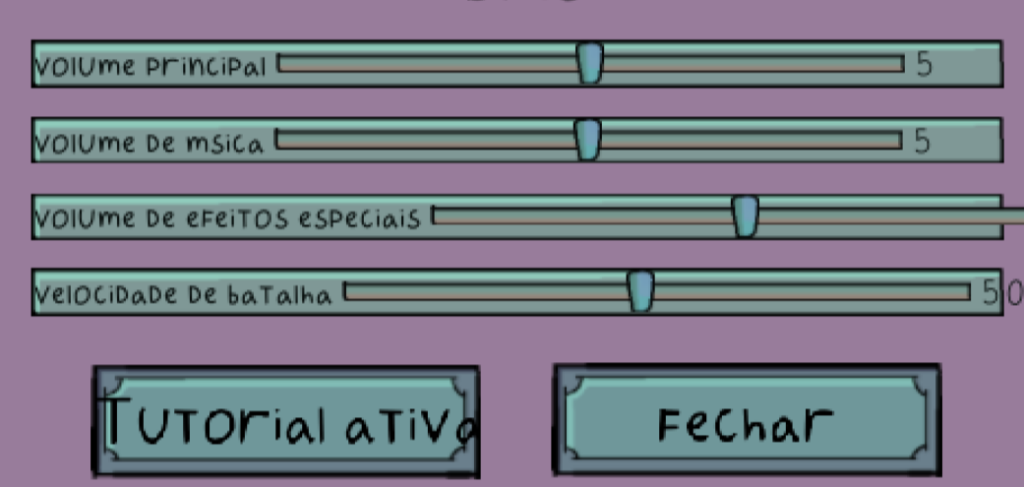
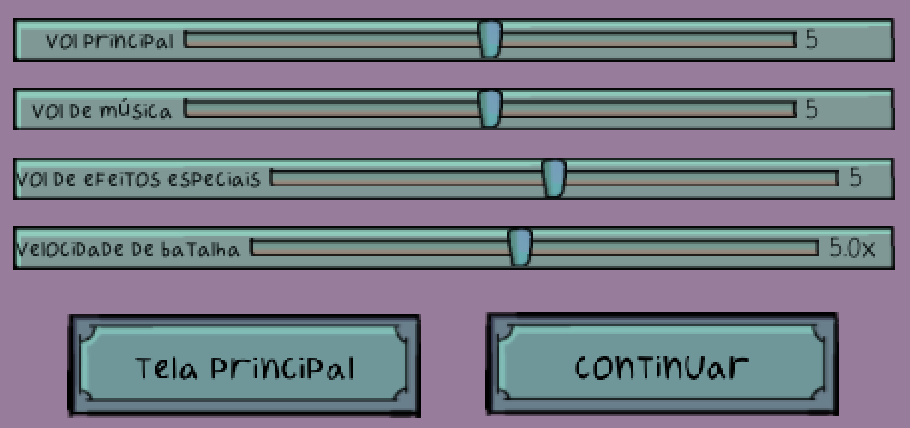
The main issue we ran into during QA was text expansion. As you know, translating text into different languages can sometimes result in longer or shorter strings, and this was particularly noticeable in our case. To deal with this, we ended up applying a bit of a “bandaid” solution by adjusting the font size to make everything fit within the available space.
Another challenge was that the box containers weren’t dynamic, meaning they didn’t adjust to the size of the text. This caused some of the text to get cut off at the top, even when we adjusted the font size to accommodate the Japanese and Portuguese translations. To fix this, I added extra spacing at the top of the containers to make sure the text would display properly without being cut off.
Reflections
Not having played a Godot game prior to this project, I was impressed with the localization features that came with this game engine. The biggest learning curve was figuring out how to locate and wrap the strings, considering this was our first time utilizing this game engine. However, once we conquered that part, the rest of the process came more easily. Our team gained a deeper understanding of the localization process as a whole, from the technical aspects of string externalization to the creative challenges of translating text and adapting all the visual assets.
An aspect that I found to be a bit lacking in terms of our localization process was the font implementation. While our fallback method worked, there was definitely room for improvement by implementing a more systematic approach rather than applying fallback fonts at the string level on certain occasions. That being said, addressing this would require further internationalization of game elements as a whole, which we could embark on at a higher level of game localization.
I’m really proud of what our team achieved, especially given the challenges of working with unfamiliar tools and processes. The project was a great opportunity to grow our skills and think creatively to solve problems. It also emphasized the importance of communication and teamwork, as we had to rely on each other strengths in certain localization aspects and combine everything together.
Overall, I’m very pleased with the end result. Seeing all the elements come through was such a rewarding experience. Check out our final Japanese and Portuguese versions below.
Copyright Disclaimer: under section 107 of the Copyright Act of 1976, allowance is made for “fair use” for purposes such as criticism, comment, news reporting, teaching, scholarship, education, and research. This project is a proof-of-concept, and as such does not represent nor infringe on the creator(s) in any way.